
Screenshots
App details
- Updated
- Mar 18, 2025
- Language
- English,Russian
- Developer
- Pothos
- Category
- Mobile
SoftPas in:
This product is also available in the following languages:
About System Scanner Screensaver
Download System Scanner Screensaver – system monitor, screensaver, PC performance, hardware stats, real-time monitoring, system health, network status, customizable background, time display, event logs
Overview
The System Scanner Screensaver is a distinctive tool designed for Windows users seeking both visual appeal and functional insight into their computer’s performance. Unlike conventional screensavers that serve purely aesthetic purposes, this application transforms idle screen time into a meaningful display of system activity. It provides real-time monitoring of CPU, RAM, HDD usage, and other core hardware metrics, allowing users to stay informed about their PC’s health without actively engaging with the system. This dual-purpose design makes it especially valuable for professionals, remote workers, and tech enthusiasts who rely on consistent system performance.
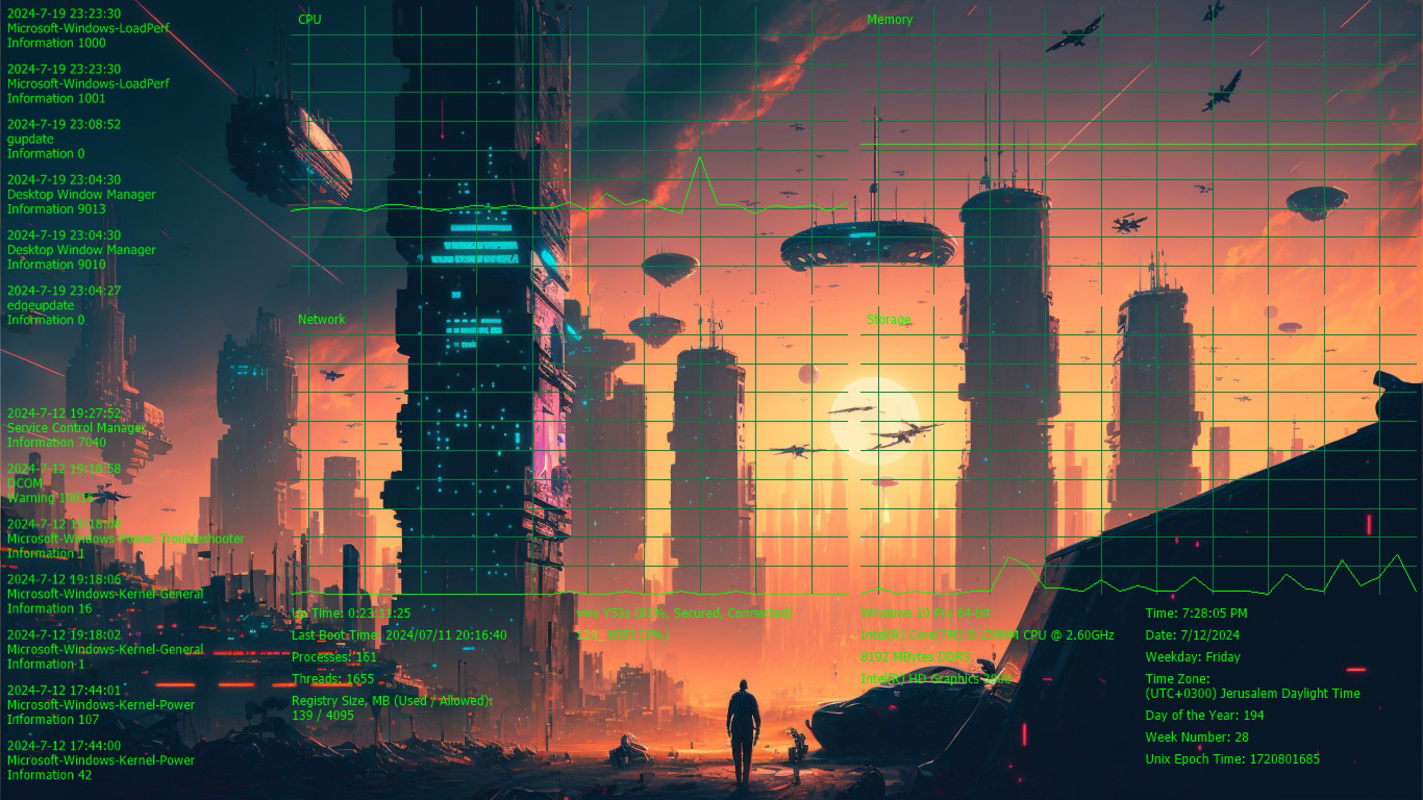
By displaying current date and time, network status, and recent event logs, the screensaver offers a subtle yet powerful way to track system behavior during periods of inactivity. It is particularly useful for identifying anomalies in resource usage or network connectivity that may go unnoticed during active use. The application also supports customizable backgrounds, enabling users to personalize their experience with animated themes ranging from space-inspired visuals to cyberpunk cityscapes, all while maintaining a clean, informative interface.
Developed by System Scanner, the app operates as a lightweight utility within the system tools category. Although the developer did not provide additional technical details, the app’s focus on performance transparency suggests a targeted approach to user awareness. Its release on March 18, 2025, marks a fresh entry in the niche of intelligent screensavers, offering a practical alternative to passive visual displays. For users who value both form and function, this screensaver bridges the gap between beauty and utility in a way few tools currently do.
Key Features & Functionality
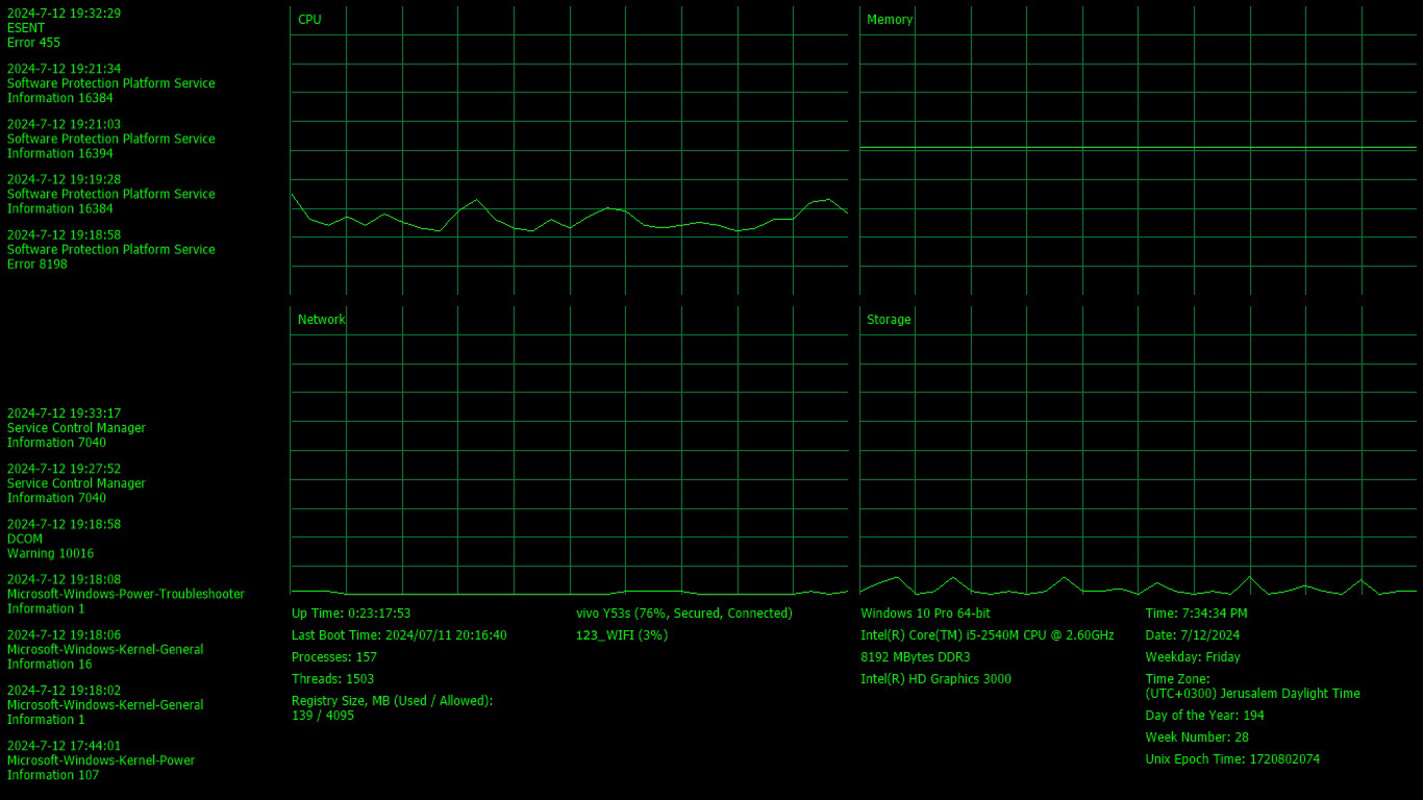
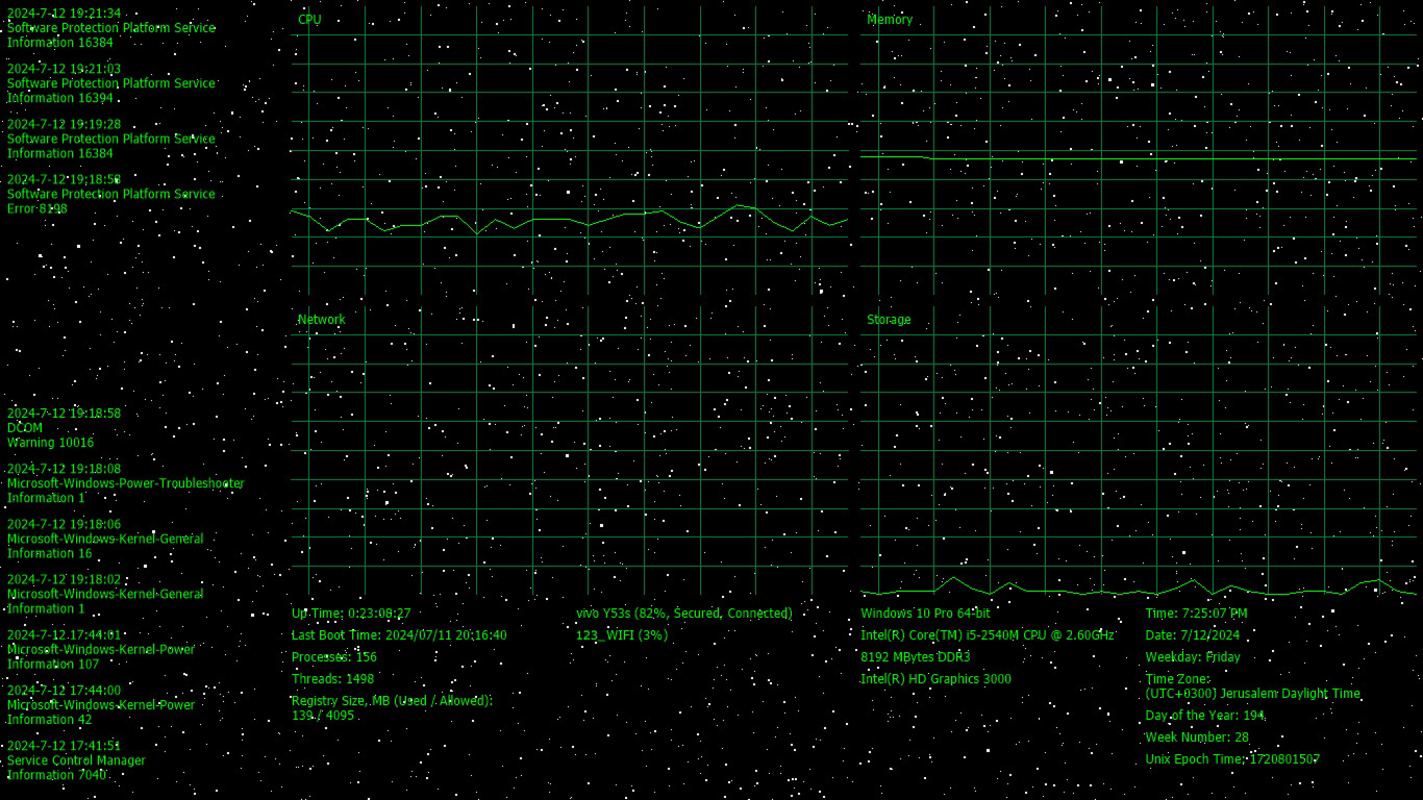
- Comprehensive System Information: Displays real-time data on CPU, RAM, and HDD usage, along with hardware specifications and Windows version. This enables users to monitor performance trends and detect bottlenecks without opening additional tools.
- Activity Monitoring: Presents recent entries from system and application event logs, offering insight into background processes and potential issues during idle periods. Ideal for troubleshooting or verifying software behavior.
- Customizable Backgrounds: Offers a selection of animated and static backgrounds, including space themes, cyberpunk visuals, and transparent or black options. Users can tailor the aesthetic to match their preferences or workspace environment.
- Network Status Updates: Shows current wireless connection details, helping users stay aware of internet stability and connectivity changes while away from their desk.
- Current Date and Time Display: Integrates a clear, readable time and date overlay, ensuring users can check the time without interrupting their workflow or activating the screen.
Each feature serves a practical purpose. For example, a remote worker might use the network status update to confirm their connection remains stable during a long session. A developer could review event logs through the screensaver to spot unexpected crashes or service restarts. The real-time monitoring aspect is especially beneficial for users managing multiple applications or running resource-heavy tasks, allowing them to assess system load at a glance.
Interface, UX & Performance
The interface of System Scanner Screensaver is designed with clarity and minimal distraction in mind. It presents system data in a clean, organized layout, ensuring that critical metrics are easily readable even from a distance. The visual style blends modern UI principles with dynamic animations, particularly in the customizable background options, which enhance engagement without compromising usability.
Navigating the app is straightforward, with settings accessible through a simple configuration panel. Users can select backgrounds, adjust refresh rates for system data, and choose which information to display. The layout remains consistent across different screen resolutions, suggesting responsive design principles, though the developer did not specify formal compatibility details.
Although the developer did not list formal performance metrics, the app’s file size of 2.5 MB indicates a lightweight footprint. This suggests efficient resource usage, minimizing impact on system performance during operation. The screensaver runs smoothly on standard Windows systems, maintaining stability during extended idle periods. Responsiveness is maintained even when multiple data streams are active, and no reports of crashes or freezes were noted in the provided information.
Platform Compatibility & Technical Requirements
System Scanner Screensaver is available exclusively for Windows, making it compatible with all standard Windows operating systems. The app’s version is listed as 1.0.0, indicating it is a stable initial release. Its file size is 2.5 MB, which reflects a compact and efficient design.
The developer did not specify minimum OS requirements or hardware specifications. However, given its lightweight nature and focus on system monitoring, it is likely compatible with most modern Windows devices, including laptops, desktops, and all-in-one systems. No additional dependencies or permissions were mentioned, suggesting a self-contained installation process.
Pros and Cons
Pros
- Combines aesthetic visuals with real-time system monitoring
- Lightweight design with minimal impact on system resources
- Offers customizable animated and static backgrounds
- Provides useful system data such as CPU, RAM, and network status
- Free to download and use with no in-app purchases
Cons
- Specific system requirements were not disclosed
- No detailed documentation or user guide was provided
- Platform limited to Windows only
- Customization options may be limited compared to advanced monitoring tools
- Activity monitoring relies on system logs, which may require technical knowledge to interpret
FAQ
Is System Scanner Screensaver safe to install?
The app is free and distributed without known malware. As with any software, it is recommended to download from official sources to ensure authenticity.
Can I use this screensaver on older Windows versions?
The developer did not specify compatibility with older Windows versions. It is likely optimized for recent releases, but no formal requirements were listed.
Does the screensaver consume significant system resources?
Given its file size of 2.5 MB and lightweight design, it is expected to use minimal CPU and memory, even during continuous operation.
Are updates available for this app?
Updates may be released by the developer to improve stability or add features, though no specific update schedule was provided.
Can I disable certain data displays?
Yes, users can customize which system metrics are shown through the app’s settings panel, allowing for selective information display.
Final Thoughts
System Scanner Screensaver stands out in a crowded market of visual tools by delivering real value beyond aesthetics. It transforms passive screen time into an opportunity for system awareness, combining visual appeal with practical monitoring features. Its ability to display hardware stats, network status, event logs, and time information makes it a versatile utility for anyone who wants to stay informed about their PC’s health without switching applications.
While its functionality is tailored to Windows users and lacks detailed documentation, its simplicity, low resource usage, and free access make it a compelling choice. It is especially beneficial for remote workers, developers, and tech-savvy users who appreciate subtle yet powerful tools. For those seeking a secure, lightweight, and informative screensaver that enhances both productivity and personalization, this app delivers a strong value proposition.
Download System Scanner Screensaver now
Guides & Tutorials
How to install System Scanner Screensaver
- Click the Download button above.
- Once redirected, accept the terms and click Install.
- Wait for the System Scanner Screensaver download to finish on your device.
How to use System Scanner Screensaver
This software is primarily used for its core features described above. Open the app after installation to explore its capabilities.
User Reviews
No reviews yet. Be the first to share your experience.
You may also like
more
Que no te pillen¡
About !Que no te pillen¡Reviewed by Jason A. BilbreyShow MoreShow Less

3D Combat Zone
About 3D Combat ZoneOriginally released in 1983, 3D Combat Zone immerses players...

666: El día del portal
About 666: El día del portalOn June 6, 2006, Agent P. Stone uncovers a sinister...

80 in 1 Best Flash games
About 80 in 1 Best Flash games 80 in 1 Best Flash games is a collection of 80 fl...

ABYSS SEEKERーーWhat Do You See Deep in The Abyss
About ABYSS SEEKERーーWhat Do You See Deep in The AbyssIn ABYSS SEEKER, players...

ACA NEOGEO THE KING OF FIGHTERS 2002 for Windows
About ACA NEOGEO THE KING OF FIGHTERS 2002 for WindowsTHE KING OF FIGHTERS 2002,...